Headless CMS vs Traditional CMS: How to Pick
WordPress, Payload CMS, or headless. The CMS world is more fragmented than ever. Here's how to pick based on what you actually need.
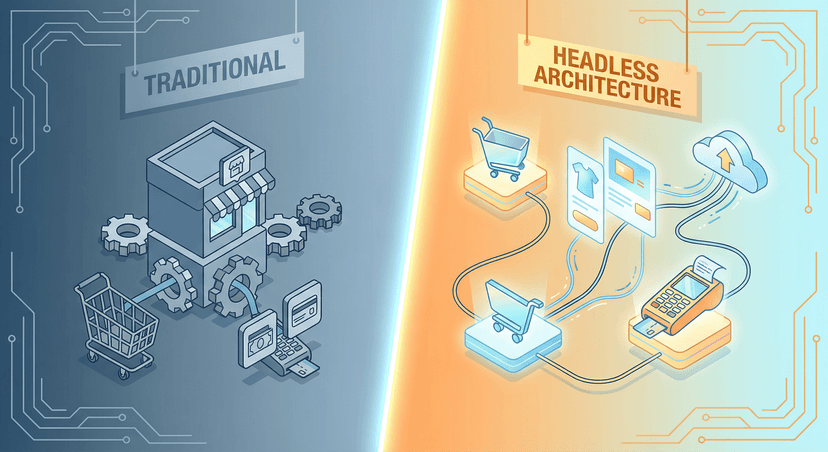
The CMS market in 2026 is split between two camps: traditional CMS (WordPress, Drupal) where the CMS handles both content and presentation, and headless CMS (Payload, Strapi, Contentful) where the CMS only manages content and a separate frontend handles the display.
When to Stay Traditional (WordPress)
WordPress still powers over 40% of the web for good reasons. Go traditional when: your team already knows WordPress, you need a big plugin ecosystem (WooCommerce, Gravity Forms, Yoast), your site is mostly content-driven with standard layouts, and you want one system to manage everything.
We build custom WordPress themes with ACF blocks and Timber/Twig templating. Fast, clean, maintainable. Nothing like the bloated ThemeForest templates most people think of when they hear WordPress.
When to Go Headless
Headless makes sense when: you need fast performance (static generation, ISR), you want to serve content to multiple frontends (web, mobile app, kiosk), your dev team prefers React/Next.js, or you need fine-grained access control and custom workflows.
Our go-to headless stack is Payload CMS + Next.js. Payload gives us a TypeScript-first, self-hosted CMS with excellent access control and a clean admin UI. Next.js handles the frontend with server-side rendering and static generation.
The Hybrid Approach
You can also use WordPress as a headless CMS, keeping the familiar WordPress admin for content editors, build a Next.js frontend. Works great when clients are already invested in WordPress workflows but need a modern frontend.
Our Recommendation
No universal answer here. We pick the stack based on each project's requirements, team capabilities, and long-term maintenance needs. The worst choice is picking a technology because it's trendy rather than because it solves your problem.